Mix revision platform
One place for every mix note, every version, every client.
Tracking mix notes across email, texts, and voice memos is a losing game. MixDraft gives your clients a clean review page with timestamped comments right on the waveform, so every note lives in one place and nothing slips through.
The MixDraft difference: on Hobby & Pro, AI-guided comment clarity coaches reviewers when a note is too vague, so you spend less time translating “make it punchier” and more time mixing.
No credit card required.
Built into client review
Hobby & ProAI that turns fuzzy client notes into actionable feedback
Vague comments are the silent killer of revision rounds. MixDraft pairs waveform review with a conversational clarity engine right in the comment box: short questions, plain-language answers, and a sharper note before it hits your studio to-do list, without steamrolling your client’s voice.
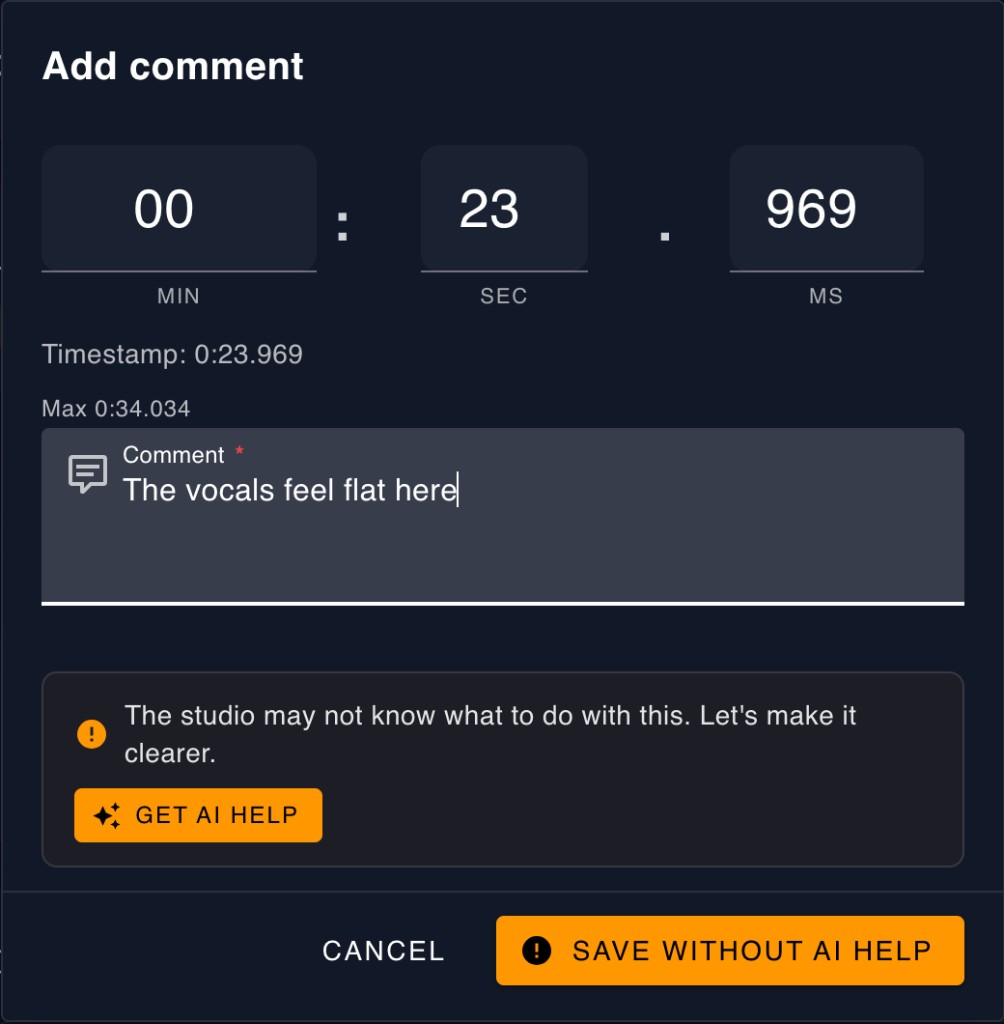
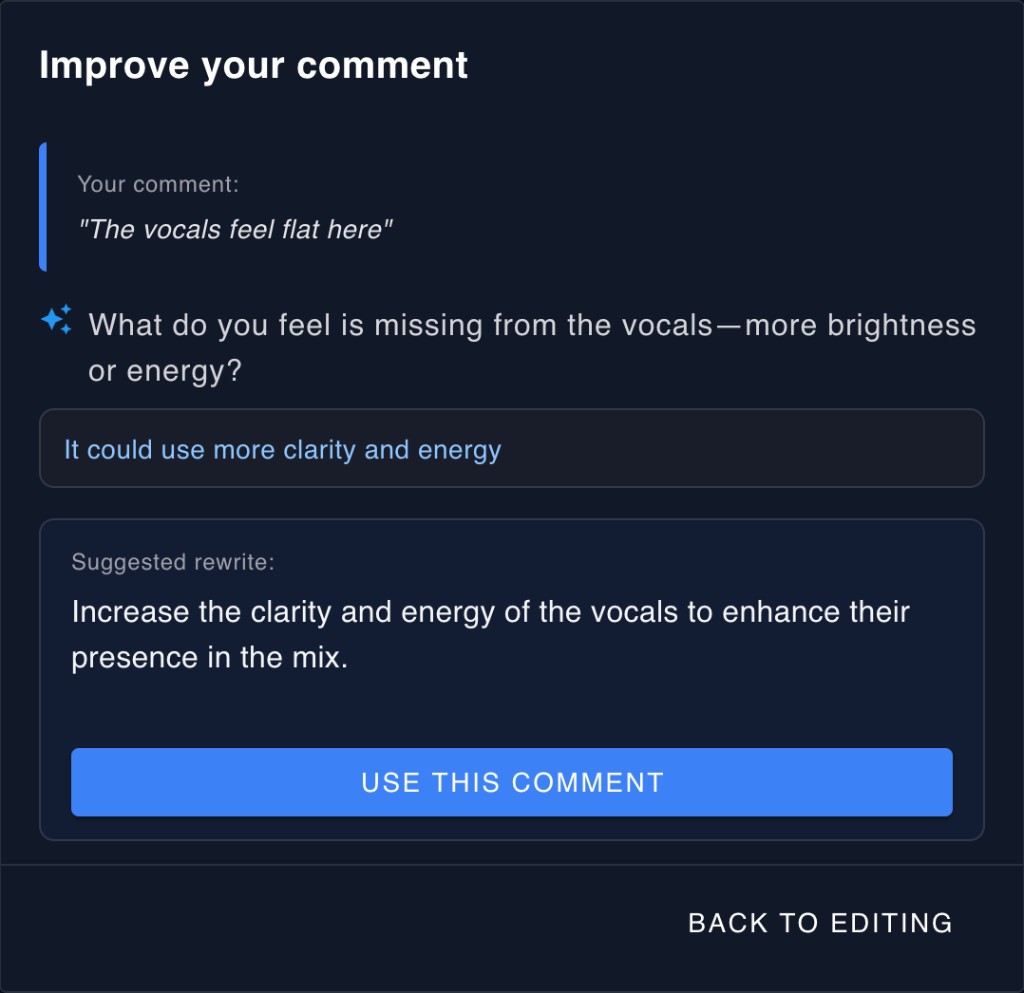
Coaching, not autocorrect
Reviewers stay in control. AI asks targeted questions; they answer in their own words. Optional rewrite only if they want it.
Less decode, more mix
Turn “the vocal feels weird near the chorus” into timing, tone, level, or FX, so engineers aren’t guessing what “weird” meant.
Where your clients already are
One click from the review composer. Paid plans unlock it; Basic stays lean. Compare plans →
Upload a version
Drop in your mix and MixDraft sends a secure review link to your client. No account required on their end.
Collect timestamped notes
Reviewers listen and leave comments pinned to the waveform. Replies and upvotes keep the conversation focused.
Get one clear to-do list
The client admin approves which notes get sent to the studio. You receive a single, curated list instead of a pile of conflicting opinions.
Waveform-based review
Clients hear the mix and leave feedback at exactly the right moment. No more "around the 2-minute mark, I think."
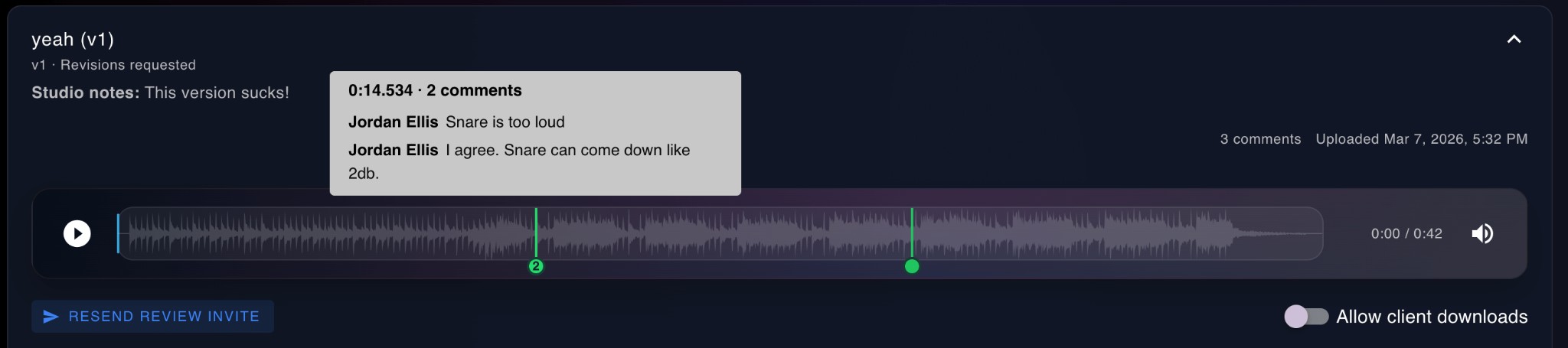
Timestamped comments
Reviewers drop comments pinned to the exact position in the waveform. Click a marker to jump straight to it.
Threaded replies
Stack follow-ups under any comment. Upvote the notes that matter most so nothing gets buried.
Passwordless client review
Clients never create an account. They click a magic link, land on a clean review page, and get to work.
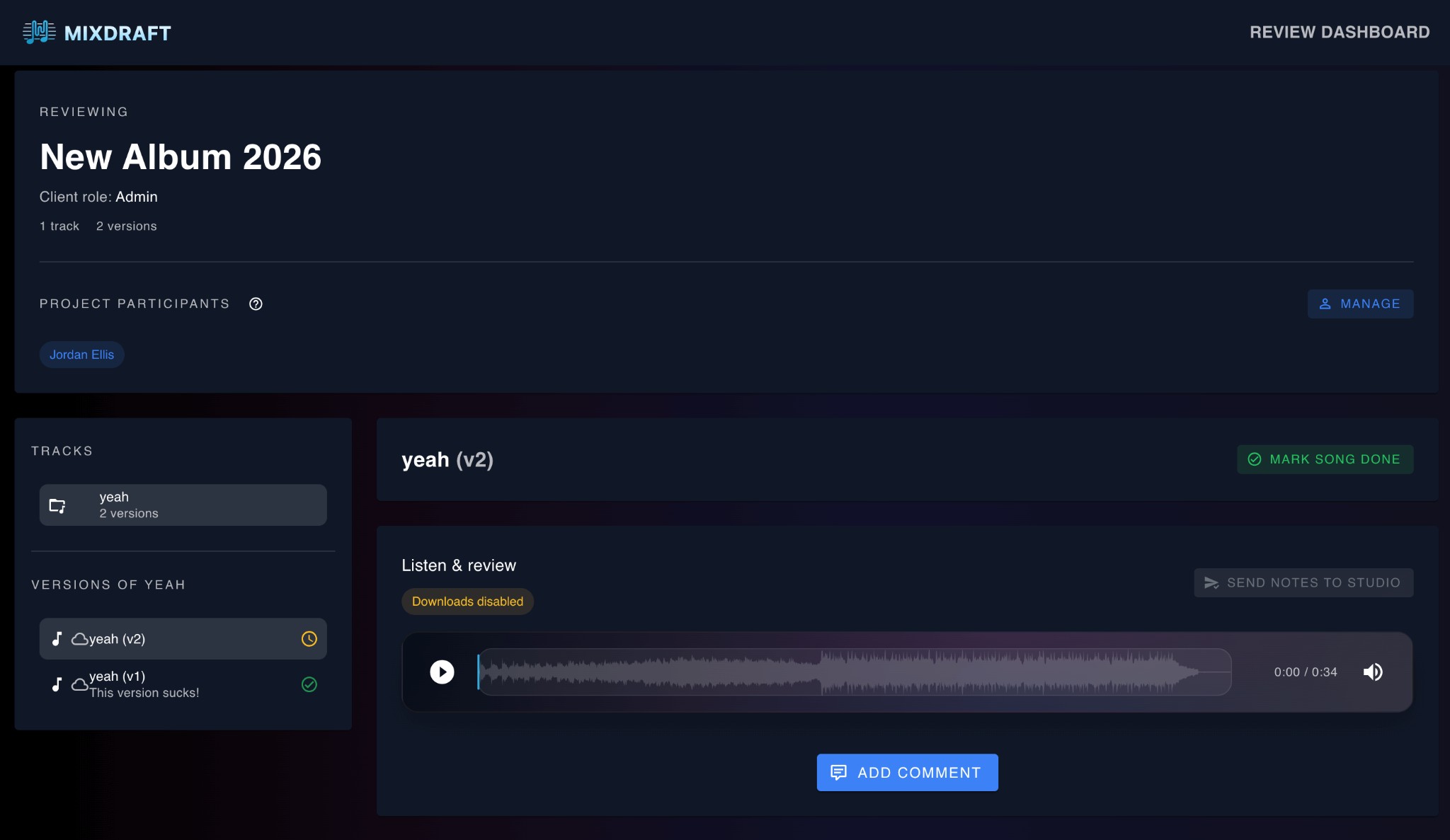
Magic link access
Send a secure, time-limited link. Clients open it and they're in. No passwords, no sign-up forms, no friction.
Curated feedback
Reviewers leave raw notes. The client admin curates what gets sent to the studio. One coherent to-do list, not a pile of conflicting opinions.
Version completion
When notes are addressed, the client marks the version complete. Clear version status for everyone, no ambiguity about what's approved.
Participant roles
Admins invite reviewers by email and approve which comments get sent to the studio. Reviewers can comment and upvote freely.
Client privacy
Client admins and reviewers can discuss freely. Only approved comments are ever seen by the studio.
Version management
Every upload becomes a locked revision cycle. Clients can reference past versions any time, and you always know where things stand.
Clear status workflow
Each version moves through a defined flow: open, notes sent, in review, completed. No guessing who's waiting on whom.
Version history
Every version is preserved with its notes and comments. Compare what changed between rounds without digging through email.
Turnaround tracking
See how long revisions take from request to next upload. Spot bottlenecks before clients notice them.
Organized by default
Clients, projects, and tracks, structured the way studios actually work.
Client profiles
Store contact info, location, timezone, and internal notes for every client. See all their projects in one place.
Projects & tracks
Group tracks under projects. Filter by status, archive completed work, and keep your active board focused.
Deliver finals in one place
When the mix is approved, upload masters, stems, and bundles. Clients download from the same review portal they already know.
Masters & stems
Upload final masters, individual stems, or ZIP bundles. Add labels and notes so clients know exactly what each file is.
Client access
Deliverables show up right in the review portal. No separate file-sharing link to manage or expire.
Google Drive integration
Hobby & ProConnect your Drive and import audio directly, or upload versions straight to organized folders. Files stored in Drive don't count toward your storage limit.
Import from Drive
Pick files from your Drive with the Google file picker. No download-then-reupload, it goes straight into the project.
Organized folders
MixDraft creates a clean folder structure in your Drive (studio, project, track) so your files stay organized without extra effort.
Dashboard that tells you what to do next
See what needs attention the moment you log in.
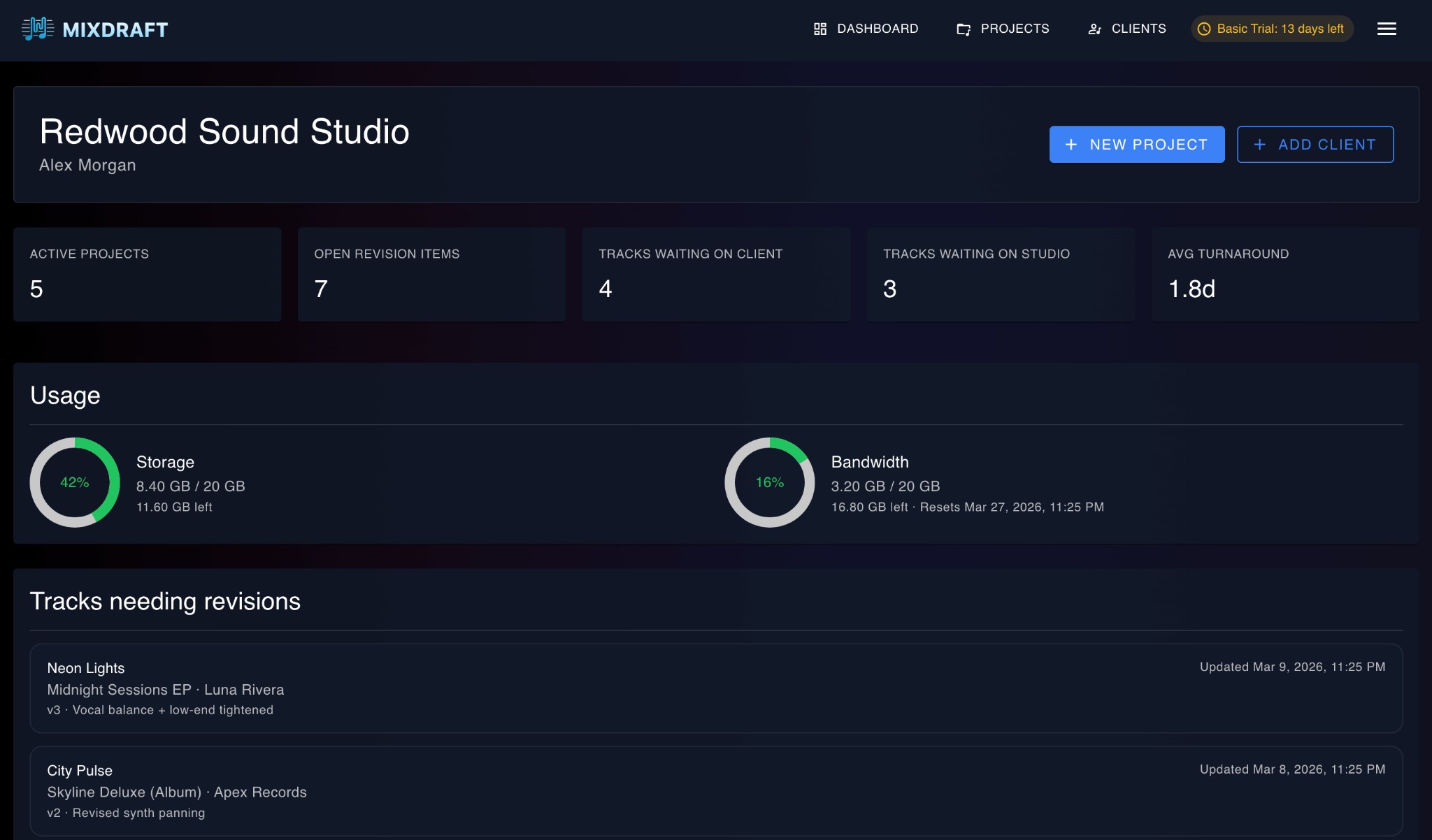
Revision queue
Tracks waiting on the studio, tracks waiting on clients, and open revision items, all at a glance.
Usage & metrics
Storage used, average turnaround time, and active project count. Know your studio's pulse.
Simple pricing, no per-seat fees
Unlimited clients, projects, and tracks. Your studio team isn’t metered per seat. Each plan includes a generous cap on client-side participants per project (the admin plus reviewers on the review link). Hobby and Pro add AI-guided comment clarity and Google Drive. Basic is free forever.
Free Basic tier
Get started with 4 GB of storage at no cost. No credit card required, no time limit.
Three plans
Basic (free), Hobby ($9.99/mo), and Pro ($19.99/mo). See pricing for participant limits, AI clarity on paid tiers, storage, and Drive.
Billing portal
Manage your subscription, update payment methods, and view invoices through a secure Stripe-powered portal.
Ready to streamline your revision workflow?
Sign up free. No credit card required.